Trigger Settings#
Important
On this page, perform settings in the order: Start Setup -> Function Parameter Barcode -> End Setup.
Scan Mode#
Level Trigger#
Scanning starts while the scan key is held down and ends after a successful decode or when the read timeout is reached.
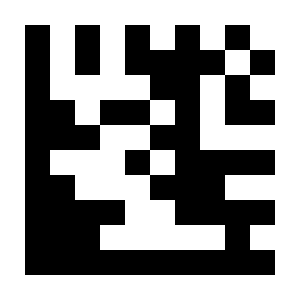
* Level Trigger#
Presentation Mode#
Scanning starts when image changes are detected and ends when the read timeout is reached.
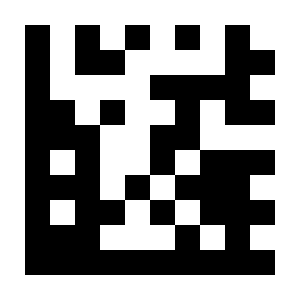
Presentation Mode#
Continuous Scan#
Scan one or more barcodes continuously. Press and release the scan key to start or stop scanning; repeated reads of the same barcode are controlled by the Same Symbol Timeout setting.

Continuous Scan#
Same Barcode Read Mode#
In scan modes that support this feature, you can configure how repeated reads of the same barcode are handled.
Note
By default, the same barcode is not read again within 500 ms. Same Symbol Timeout can be set from 0~5000 ms; 0 disables the timeout.
- Suppress Repeated Reads
If the same barcode is read repeatedly within the suppression period, it is ignored and not output, and the timer restarts.
- Interval Read
If the same barcode is read repeatedly within the interval, it is ignored and not output. It is output again after the interval expires.
- Do Not Repeat Same Barcode
The same barcode is not output repeatedly.
Example: Suppress repeated reads of the same barcode within 100 ms.
Scan “Start Setup”.
Scan the “Suppress Repeated Reads” Parameter Barcode.
Scan the “Same Symbol Timeout” Parameter Barcode.
Scan the
1Parameter Barcode in Decimal Digits.Scan the
0Parameter Barcode in Decimal Digits.Scan the
0Parameter Barcode in Decimal Digits.Scan “End Setup”.
Example: Read the same barcode again after a 1-second interval.
Scan “Start Setup”.
Scan the “Interval Read” Parameter Barcode.
Scan the “Same Symbol Timeout” Parameter Barcode.
Scan the
1Parameter Barcode in Decimal Digits.Scan the
0Parameter Barcode in Decimal Digits.Scan the
0Parameter Barcode in Decimal Digits.Scan the
0Parameter Barcode in Decimal Digits.Scan “End Setup”.

* Suppress Repeated Reads# |
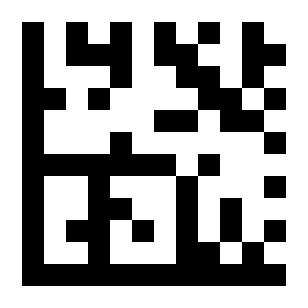
Interval Read# |
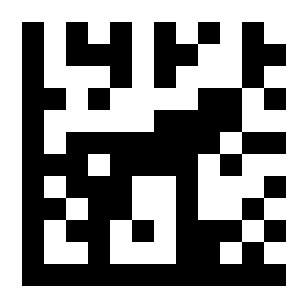
Do Not Repeat Same Barcode#
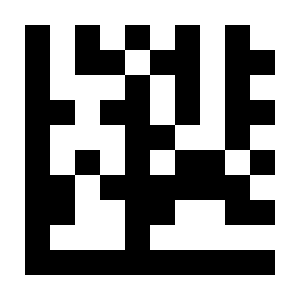
Same Symbol Timeout (ms)#
Decode Timeout#
(This setting is not supported in Continuous Scan mode.)

* 5 Seconds#
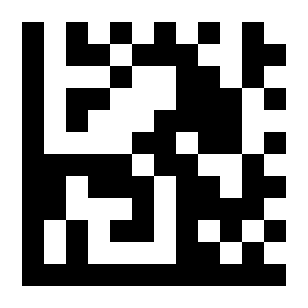
10 Seconds# |

No Limit# |
Sleep Time#

Disable# |

1 Second# |
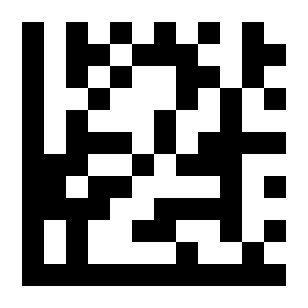
2 Seconds# |

3 Seconds# |
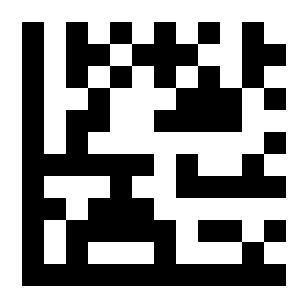
5 Seconds# |

7 Seconds# |

* 10 Seconds# |

15 Seconds# |
Presentation Mode Sensitivity#

Low Sensitivity#

* Medium Sensitivity# |

High Sensitivity# |
Decode Data Verification#
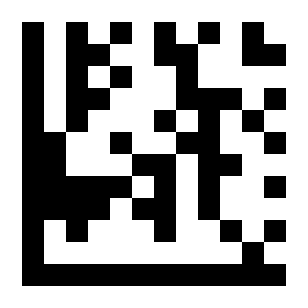
* Disable#
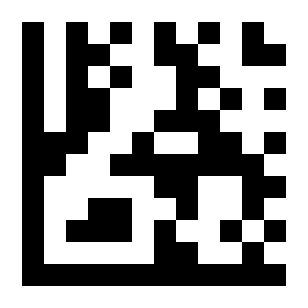
Output After Reading Twice# |
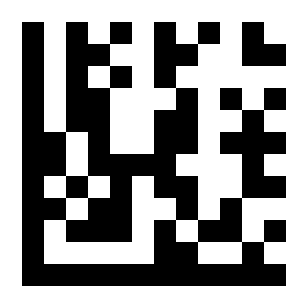
Output After Reading Three Times# |