Communication Interface Settings

Communication Interface Settings#

Important

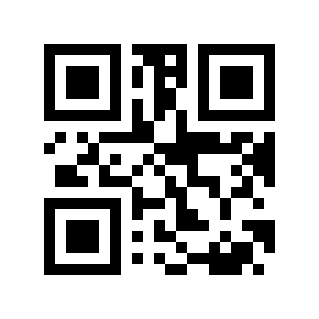
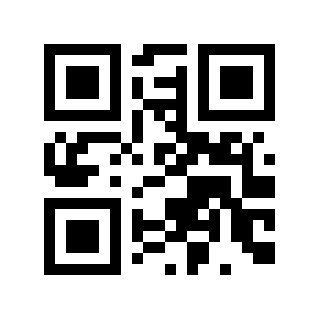
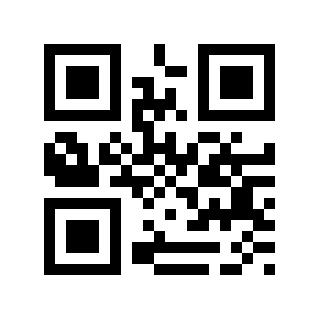
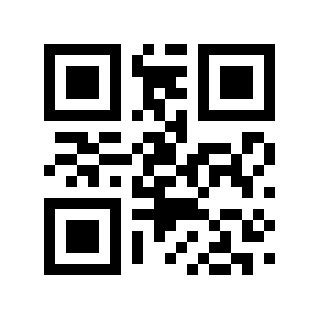
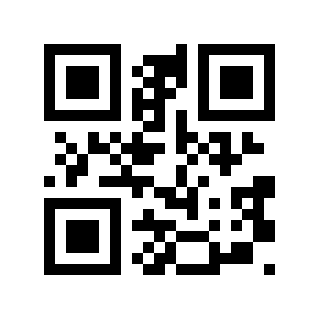
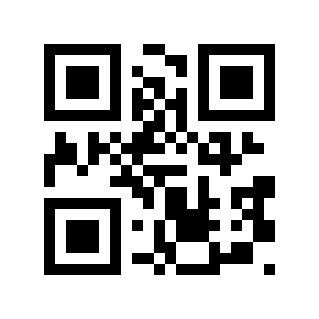
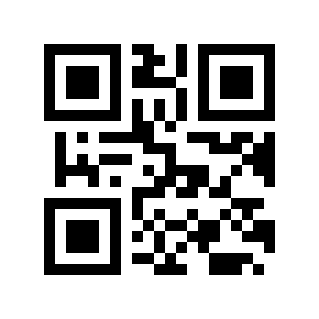
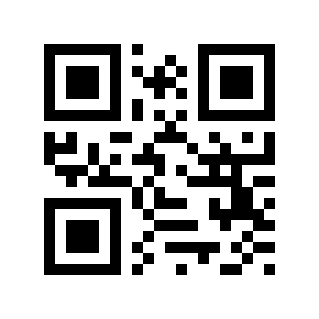
When modifying the parameters on this page, scan “Start Setup” first, then scan the target Parameter Barcode; scan “End Setup” after completion.

Communication interface mode#
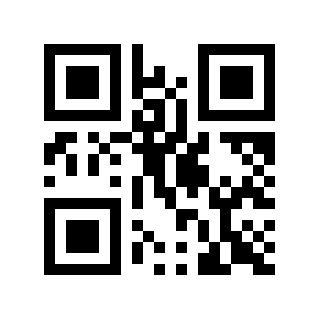
../../_shared/_images/module-290/40INTERHID9.png

USB interface#

../../_shared/_images/module-290/40INTERCDC8.png

USB Virtual COM Port#

../../_shared/_images/module-290/40INTERTTL10.png

serial#

Serial port baud rate setting#

../../_shared/_images/module-290/40SETBAUD4800.png

Baud Rate 4800#

../../_shared/_images/module-290/40SETBAUD9600.png

Baud rate 9600#

../../_shared/_images/module-290/40SETBAUD19200.png

Baud Rate 19200#

../../_shared/_images/module-290/40SETBAUD38400.png

Baud Rate 38400#

../../_shared/_images/module-290/40SETBAUD57600.png

Baud Rate 57600#

../../_shared/_images/module-290/40SETBAUD115200.png

Baud Rate 115200#